
What is cPanel?
cPanel is the control panel where you can manage your entire website hosting account. From here, you can create email accounts, upload website files, manage databases, and install apps like WordPress.
How to Login to cPanel
To access your cPanel account:
-
Open your browser and go to:
https://yourdomain.lk/cpanel -
You will see a login screen asking for your Username and Password.
-
Enter the credentials you received in your Welcome Email from Inventium Hosting Solutions.
Click the Login button.
You can also log in via the client area athttps://www.manage.inventiumhostingsolutions.com/clients > My Services > Login to cPanel
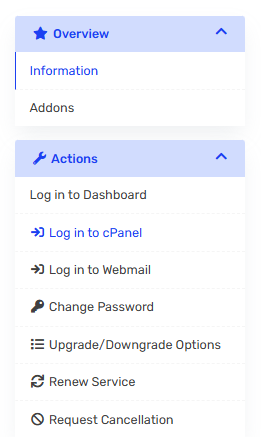
✔️ That’s it! You’ll now see your cPanel dashboard.
Screenshot Login to cPanel
Figure: Example of the cPanel login screen
Troubleshooting Tips
-
Make sure your domain (e.g.,
yourdomain.lk) is correctly pointed to our hosting nameservers. -
If you forgot your login, open a support ticket — we’re happy to help!
Summary
Your cPanel login gives you full control over your hosting environment. It’s the first step in building and managing your website with Inventium Hosting Solutions.
